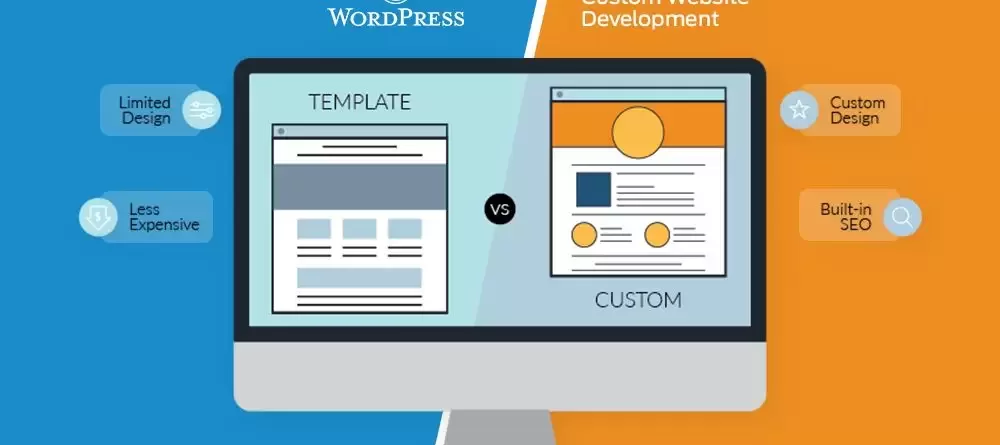
Website builders versus custom web development comes down to a trade-off between speed and control. A website builder such as Wix, Squarespace or Shopify gets you online quickly with little technical skill, but you rent the platform and accept its limits. Custom development costs more up front and takes longer, but you own the code and can build exactly what the business needs. For many businesses the best answer sits between the two: WordPress with a custom theme. This guide compares all three and helps you decide.
Key takeaways
- Builders suit simple sites, tests and very tight timelines; custom development suits complex, integrated or fast-growing businesses.
- WordPress with a custom theme gives most of the control of custom code at a cost closer to a builder.
- Compare total cost of ownership over several years, not just the launch price or the first month’s subscription.
- In Egypt and the Gulf, check Arabic/RTL quality and support for local payments such as Paymob, Fawry, Instapay and cash on delivery before you commit.
- Ownership matters: know whether you can export your content, design and data if you leave.
What we mean by each option
- Website builder: a hosted, subscription-based platform with drag-and-drop editing and templates. Hosting, security updates and the software are managed for you.
- Custom web development: a site or application built for your requirements, either from scratch or on a framework, hosted where you choose, with code you control.
- WordPress with a custom theme: an open-source content management system with a theme designed and coded for your brand, plus carefully chosen plugins, for example WooCommerce for selling online.
Website builders: pros and cons
Pros
- Fast to launch. A simple site can go live in days.
- Low starting cost. A monthly subscription instead of a development fee.
- Easy editing. Visual editors let non-technical staff update text and images.
- Managed infrastructure. Hosting, SSL, backups and security patches are handled by the platform.
- Built-in extras. Forms, simple booking, basic analytics and templates for common industries.
Cons
- You rent, not own. Stop paying and the site goes offline. Exporting the design is usually impossible; exporting content can be partial.
- Template limits. Layouts that look easy can be hard to change once you outgrow the template, and many sites end up looking similar.
- Rising costs. Premium plans, paid apps, extra storage, transaction fees and add-ons build up over time.
- Performance and SEO ceilings. Basic SEO is covered, but fine control over code, page speed, structured data and URL structures can be limited.
- Integration gaps. Connecting to an ERP, CRM, accounting system or local payment gateway may depend on third-party apps, or may not be possible.
- Arabic and RTL quality varies. Some builders handle right-to-left layouts well; others produce broken alignment, mixed-direction text or poor Arabic fonts.
Custom web development: pros and cons
Pros
- Built for your process. Custom booking flows, quotation tools, customer portals, dealer pricing or multi-branch logic.
- Full ownership. You own the code and data and can move hosting or developers.
- Performance. Lean code with no unused features can load faster, which helps user experience and Core Web Vitals.
- Deep integrations. Direct connections to ERP, CRM, shipping companies, SMS gateways and payment providers.
- Scalability. Architecture can be planned for high traffic, large catalogues or new markets.
- Proper bilingual design. Arabic and English versions can be designed separately, with correct RTL layouts and hreflang for SEO.
Cons
- Higher up-front cost. Design, development and testing take skilled time.
- Longer timeline. Weeks to months depending on scope.
- Ongoing responsibility. Hosting, updates, security and backups need a plan and a budget.
- Dependence on the developer. Poorly documented custom code can be hard for another team to take over.
- Risk of over-building. Paying for features nobody uses is a common and expensive mistake.
The middle path: WordPress with a custom theme
WordPress powers a large share of the web, and for good reason. It is open source, so you own your site and can host it anywhere. A custom theme means the design is built for your brand rather than adapted from a template, while plugins provide proven features such as forms, SEO tools, multilingual content and eCommerce.
This route makes sense when you want:
- Your own design and full control of SEO settings.
- A content team that can edit pages without a developer.
- An online store with WooCommerce and local payment gateways.
- Room to add custom features later through plugins or custom code.
- A cost closer to a builder than to fully bespoke software.
The trade-off is maintenance. WordPress, its theme and plugins need regular updates, and too many plugins slow the site and add security risk. Choose a small number of well-supported plugins and plan for website maintenance from the start. For a wider comparison of platforms, see choosing the right CMS: WordPress, Drupal or Joomla.
Side-by-side comparison
| Factor | Website builder | WordPress + custom theme | Fully custom |
|---|---|---|---|
| Up-front cost | Lowest; often a subscription only | Moderate one-off build | Highest |
| Ongoing cost | Monthly plan plus apps and transaction fees; rises with plan level | Hosting, maintenance, premium plugin licences | Hosting, maintenance, developer time for changes |
| Speed to launch | Days | Weeks | Weeks to months |
| SEO control | Good basics, limited fine control | Full control with SEO plugins and theme code | Full control, depends on developer skill |
| Performance | Platform-dependent | Good if theme is lean and hosting is solid | Potentially best |
| Scalability | Limited by plan and platform | Strong for most SMEs; heavy loads need good hosting | Designed to fit your growth |
| Ownership | Rented; limited export | You own content, theme and data | You own everything |
| Arabic/RTL support | Varies by builder; test before choosing | Strong RTL support; theme must be built and tested for RTL | As good as it is designed to be |
| Local integrations (Paymob, Fawry, Instapay, COD, local couriers) | Often limited or via third-party apps; check availability in your country | Widely available via WooCommerce plugins, or custom-built | Anything with an API can be integrated |
| Editing by staff | Very easy | Easy | Depends on the admin panel built |
| Vendor lock-in | High | Low | Low, if code is documented |
Total cost of ownership: how to calculate it
The cheapest option at launch is not always the cheapest over three to five years. Work out total cost of ownership (TCO) like this:
- Launch cost: design, development, content entry, translation and setup.
- Recurring platform costs: builder subscription or hosting, domain, SSL if not included, email.
- Add-ons: paid apps or premium plugins, each multiplied by years of use.
- Transaction costs: platform transaction fees on top of payment gateway fees, multiplied by expected sales.
- Maintenance: updates, backups, security monitoring, small changes.
- Growth changes: new pages, features, languages or a redesign you will likely need.
- Exit cost: what it would take to migrate away later, including lost SEO if done badly.
Add these over your planning horizon and compare options on the total. For reference, Imexit’s published website development packages start at 8,000 EGP for a basic site of up to 10 pages in one language, 12,000 EGP for a dynamic site with SEO of up to 25 pages, and 20,000 EGP for a WooCommerce store with up to 5 categories and 15 products. These are one-off build prices, so the ongoing costs above still need adding.
Decision guide by business type
| Business type | Usually best fit | Why |
|---|---|---|
| Freelancer, consultant, event or one-off campaign | Builder or simple WordPress site | Few pages, quick launch, low budget |
| Local service business (clinic, salon, workshop, law firm) | WordPress with custom theme | Local SEO, bilingual pages, WhatsApp and booking forms, low lock-in |
| Corporate or B2B company | WordPress with custom theme | Brand-specific design, content team editing, strong SEO |
| Small to mid online store in Egypt or the Gulf | WooCommerce | Local payment gateways, COD, Arabic checkout, ownership |
| Marketplace with several sellers | WooCommerce multi-vendor or custom | Vendor dashboards, commissions and payouts |
| Platform with unique logic (portals, quotation engines, SaaS) | Fully custom | Off-the-shelf tools cannot model the process |
| Testing a new idea before investing | Builder | Validate demand cheaply, then rebuild properly |
Questions to ask before deciding
- Will the site need to connect to other systems in the next two years?
- How many languages, and is Arabic a main language or an afterthought?
- Who will edit the site day to day?
- How important is organic search to your lead generation?
- What would happen to the business if the platform raised prices or changed its terms?
In Egypt and the Gulf: what changes the decision
- Arabic and RTL. Mirroring a template is not enough. Menus, icons, forms, tables and number formatting all need checking in RTL. Ask to see live Arabic sites built on the platform.
- Local payments. Customers expect cash on delivery, cards, wallets, Fawry and Instapay. Confirm the platform supports gateways such as Paymob or Fawry in your country, not just in its marketing.
- WhatsApp. Many enquiries and orders happen on WhatsApp. Make sure click-to-chat buttons and tracking are simple to add.
- Mobile-heavy traffic. Test speed on real phones and mobile data. Google uses mobile-first indexing, so mobile performance affects rankings.
- Bilingual SEO. You need separate Arabic and English URLs, metadata and hreflang tags. Some builders make this hard.
- Budget sensitivity. Builder subscriptions priced in foreign currency can become expensive when exchange rates move. One-off local builds avoid that exposure.
- Google Business Profile. Whichever option you choose, link your profile to a fast, accurate local landing page.
Common mistakes
- Choosing on launch price alone without calculating ownership costs.
- Picking a builder, then discovering it cannot take local payments.
- Commissioning fully custom software when WordPress would do the job.
- Installing dozens of plugins instead of a lean, maintained set.
- Not owning the domain, hosting or admin accounts in the company’s name.
- Treating Arabic as a translation job rather than a separate design and SEO task.
Migration tips: moving from a builder to WordPress or custom
- Audit the current site. Export a full list of URLs, page titles, meta descriptions and the pages that bring traffic and leads, using Google Search Console and Analytics.
- Export what you can. Products, customers, orders and blog posts, usually as CSV files. Expect to re-enter some content by hand.
- Map redirects. Every old URL should point with a 301 redirect to its closest new page. This protects rankings.
- Keep what ranks. Preserve the content and headings of your best-performing pages unless there is a clear reason to change them.
- Build and test on staging. Check forms, payments, RTL layouts, mobile speed and tracking before launch.
- Launch at a quiet time and avoid peak seasons such as Ramadan or major sales.
- Monitor after launch. Watch Search Console for errors, submit the new sitemap, and fix broken links quickly.
- Cancel the old plan last, only after confirming everything has moved, including domain and email settings.
How Imexit can help
If you are unsure which route fits, start by writing down what the site must do over the next two years. Imexit has built websites for businesses in Egypt, the Gulf and MENA since 2001, mostly on WordPress and WooCommerce, in Arabic and English. We can review your requirements, tell you honestly when a builder is enough, and plan a migration that protects your rankings. See our web development service and eCommerce development, or request a quote with your requirements.
Frequently asked questions
Is a website builder bad for SEO?
Not necessarily. Modern builders handle basics such as titles, meta descriptions, sitemaps and mobile layouts. The limits appear when you need fine control over page speed, structured data, URL structures or bilingual hreflang setup. For a simple local site, a builder can rank. For competitive or bilingual SEO, WordPress or custom development gives you more control.
Is WordPress considered custom development?
It sits in between. WordPress itself is an off-the-shelf content management system, but a custom-designed theme, tailored functionality and custom integrations make the result specific to your business. You get your own design and ownership, while relying on a proven core and plugins for standard features like forms, SEO and eCommerce.
Can I move from Wix or Shopify to WordPress later?
Yes, but plan it carefully. Content, products and customers can usually be exported, while designs cannot. The key to keeping your rankings is a complete list of old URLs with 301 redirects to the new pages, plus checks in Google Search Console after launch. Build on a staging site and test before switching the domain.
Which option is best for an online store in Egypt?
For most small and mid-sized stores, WooCommerce on WordPress is a strong choice because it supports local gateways such as Paymob and Fawry, cash on delivery, Arabic checkout pages and full ownership of your data. Fully custom development makes sense only when your selling process is unusual or volumes are very high.
How long does a custom website take to build?
It depends on scope. A brochure site on WordPress with a custom theme typically takes weeks, while a store with integrations or a bespoke platform can take months. The biggest delays usually come from content: page copy, Arabic translations, product data and images. Preparing these early is the easiest way to shorten the timeline.
Written by Mohamed Kamal, founder of Imexit, building websites and digital marketing for businesses in Egypt and the Gulf since 2001. Last updated: October 2026.