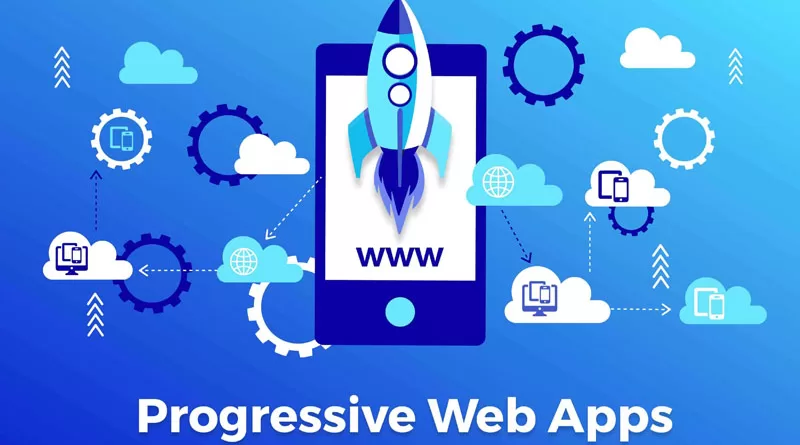
A progressive web app (PWA) is a website that behaves like a mobile app: it can be installed on the home screen, load quickly, work with a weak or missing connection and, on supported devices, send push notifications. The benefits of progressive web apps are lower build cost than native apps, one codebase for every device, and no app-store gatekeeping. This guide explains how PWAs compare with native apps and regular websites, what works on iPhone, when a PWA is the right choice, and a technical checklist for converting your site.
Key takeaways
- A PWA is a normal website plus a web app manifest, a service worker and HTTPS.
- One codebase serves Android, iPhone and desktop, which usually costs far less than building and maintaining two native apps.
- iOS supports PWAs but with limits: installation is manual and some features behave differently from Android.
- PWAs suit content sites, stores, booking tools and internal dashboards; heavy hardware or gaming apps still favour native.
- Start with a fast, mobile-friendly site; a PWA layer will not fix a slow foundation.
What is a progressive web app?
A PWA is built with standard web technologies: HTML, CSS and JavaScript. What makes it “progressive” is that it improves depending on what the browser supports. On an older browser it is simply a website. On a modern one it gains app-like features.
Three components make this possible:
- Web app manifest: a JSON file that tells the device the app’s name, icons, colours and how it should open (for example, full-screen without the browser bar).
- Service worker: a script that runs in the background, sitting between the app and the network. It caches files, serves pages offline and handles push notifications.
- HTTPS: required for service workers, protecting users and data.
Users find a PWA the same way they find any website, through search, links or ads, and can then add it to their home screen.
Benefits of progressive web apps
Lower development and maintenance cost
A native app usually means separate builds for Android and iOS, plus the website. A PWA is one product. Updates go live immediately for everyone, without waiting for app-store review or for users to update.
Speed and reliability
With good caching, repeat visits load almost instantly, and key pages stay available on unstable mobile connections. That matters in markets where many users browse on mobile data.
Discoverable by search engines
Unlike most native app content, PWA pages can be indexed by Google, so they bring organic traffic. Make sure content is rendered in a way search engines can read; our SEO service checks this as part of technical audits.
No app-store friction
Users do not need to search a store, download a large file or create an account to try your app. There are no store commissions on payments made through your own checkout. You can still list a PWA in Google Play using a wrapper if you want store presence.
Engagement features
Home-screen icons, full-screen display and push notifications help bring users back, much like a native app, without the download barrier.
Small storage footprint
PWAs take up little space on the phone, which matters for users with lower-end devices who regularly delete apps to free space.
PWA vs native app vs regular website
| Factor | Regular website | PWA | Native app |
|---|---|---|---|
| Installation | None | Optional, from the browser | Required, through an app store |
| Offline use | No | Yes, for cached content | Yes |
| Push notifications | No | Yes on Android and desktop; on iPhone only when installed | Yes |
| Search engine visibility | Yes | Yes | Limited to the store listing |
| Device hardware access | Basic | Good and growing, varies by browser | Full |
| Updates | Instant | Instant | Through store review and user updates |
| Build cost | Lowest | Moderate | Highest, especially for two platforms |
| Best for | Information and marketing sites | Stores, content, booking, portals, dashboards | Games, heavy media, deep hardware use |
iOS support: what to expect on iPhone
Apple’s Safari supports the core PWA technologies, but the experience differs from Android, and you should plan for this:
- No automatic install prompt. Android browsers can show an install banner. On iPhone, users must tap Share and then “Add to Home Screen”. Show a short, iOS-specific instruction to guide them.
- Push notifications only after installation. Recent iOS versions support web push, but only for PWAs added to the home screen, and the user must grant permission.
- Some background features are limited. Features like background sync are not reliably available, so do not depend on them for critical tasks.
- Storage may be cleared. Safari can remove cached data for sites that have not been used for a while. Treat offline storage as a convenience, not permanent storage.
- Browsers on iPhone share Safari’s engine. Chrome and other browsers on iOS behave similarly to Safari for PWA features.
- Test on real devices. Apple’s support changes with iOS updates, so test on current iPhones before launch.
In markets where many users have Android, such as Egypt, PWAs deliver most of their features to the majority. In parts of the Gulf, where iPhone use is often higher, design for the iOS limits from the start.
When a PWA is the right choice
A PWA is a strong fit when:
- most of your users find you on mobile and return regularly;
- you run an online store, news or content site, booking system, directory or customer portal;
- you need to reach both Android and iPhone users on a limited budget;
- your users have unreliable connections or low-storage phones;
- you want search traffic to land directly in your app experience.
A native app may be better when:
- you need deep hardware access, such as advanced Bluetooth, background location or heavy camera processing;
- you are building graphics-heavy games or complex media editing;
- app-store presence is central to how customers find you;
- you rely on iOS push notifications reaching users who will not install from the browser.
Decision questions
- Do users visit more than once? If not, a fast website may be enough.
- Would offline access or a home-screen icon change how they use you?
- Can your budget support two native apps and their updates?
- Do you need any feature that only native apps offer?
In Egypt and the Gulf
- Mobile-heavy audiences: many customers browse almost entirely on phones, often on mobile data, which rewards caching and fast loading.
- Arabic and RTL: set dir and lang in the manifest, and make sure the app name and short name work in Arabic on the home screen.
- Local payments: checkout for Instapay, Fawry, cards or cash on delivery runs inside the PWA as on your website, with no store commission.
- WhatsApp: keep a clear WhatsApp contact button. Many users will still want to chat before buying.
- Budget sensitivity: a PWA often lets a business offer an app-like experience without the cost of two native apps.
How to turn a website into a PWA: technical checklist
1. Foundations
- Serve the whole site over HTTPS with a valid certificate and redirects from HTTP.
- Use a responsive, mobile-first design that works at every screen size.
- Improve Core Web Vitals first: image compression, caching and lean scripts. Reliable web hosting matters here.
2. Web app manifest
- Create a manifest.json (or .webmanifest) and link it in the page head.
- Include name, short_name, start_url, scope, display (usually standalone), background_color and theme_color.
- Provide icons in several sizes, including a large one and a maskable icon so it looks right on Android.
- Add an apple-touch-icon link for iPhone home screens.
- Set lang and dir for Arabic versions.
3. Service worker
- Register a service worker from your main JavaScript file.
- Choose caching strategies per content type: cache-first for static assets like CSS, fonts and icons; network-first for pages and prices that change; stale-while-revalidate for images and less critical content.
- Version your caches and delete old ones on activation, so users do not get stuck on outdated files.
- Never cache personal pages such as checkout, account or cart data without care.
4. Offline experience
- Create a branded offline page with contact details and links to cached content.
- Cache key pages such as home, main categories and contact.
- Show clear messages when the user is offline rather than broken pages.
5. Install prompt
- On supporting browsers, capture the install event and show your own “Install app” button at a sensible moment, such as after a second visit or a purchase, not on first load.
- On iPhone, show brief “Share, then Add to Home Screen” instructions instead.
6. Push notifications (optional)
- Ask for permission only after the user sees a clear benefit, such as order updates.
- Send few, relevant notifications; too many lead to users blocking them.
7. Test and monitor
- Use Chrome DevTools (Application panel) and Lighthouse to check the manifest, service worker and offline behaviour.
- Test on real Android phones and iPhones, on slow connections.
- For WordPress sites, PWA plugins can generate the manifest and service worker, but review their caching rules, especially on WooCommerce stores.
Common mistakes
- Caching too aggressively, so users see old prices or stock levels.
- Showing an install prompt immediately on the first visit.
- Forgetting iPhone users when planning push notifications.
- Adding a PWA layer to a slow site instead of fixing performance first.
- No update strategy for the service worker.
How Imexit can help
Imexit has developed websites and online stores for businesses in Egypt, the Gulf and MENA since 2001. We can assess whether a PWA fits your users, improve your site’s speed, and add a manifest, service worker and offline experience that suit your content, including Arabic and RTL versions. For WooCommerce stores, we make sure caching never interferes with carts or checkout. Learn more about our web development services, or request a quote with details of your site and goals.
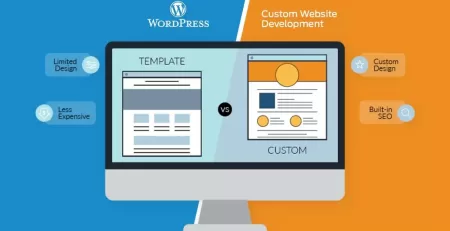
If you are still choosing a platform, read our comparison of website builders and custom development.
Frequently asked questions
Is a PWA cheaper than a native app?
Usually, yes. A PWA uses one codebase for Android, iPhone and desktop, while native apps often need separate builds for each platform plus your website. Maintenance is simpler too, because updates go live instantly. The exact difference depends on features, but for most stores and service businesses a PWA is the more economical route.
Do PWAs work on iPhone?
Yes, but with limits. Safari supports service workers, offline caching and home-screen installation, but users must add the app manually through the Share menu. Push notifications work only after installation and permission. Some background features are limited, so test on real iPhones and design around these differences.
Can a WordPress or WooCommerce site become a PWA?
Yes. Plugins can add a manifest and service worker, or a developer can build them for more control. On WooCommerce, caching rules must exclude cart, checkout and account pages so customers never see outdated or personal data. Speed improvements should come first, as a PWA layer cannot fix a slow site.
Will a PWA help my SEO?
A PWA does not directly boost rankings, but the speed and mobile improvements that come with it support a better page experience. Because PWA pages are normal web pages, they can be crawled and indexed. Make sure important content is visible to search engines and is not only loaded after user interaction.
Can I put a PWA in the app stores?
You can list a PWA in Google Play using a trusted web activity wrapper, which lets the same web app appear as a store listing. Apple’s App Store is stricter and usually expects apps to offer more than a wrapped website. Many businesses rely on direct installation from the browser instead.
Written by Mohamed Kamal, founder of Imexit, building websites and digital marketing for businesses in Egypt and the Gulf since 2001. Last updated: October 2026.